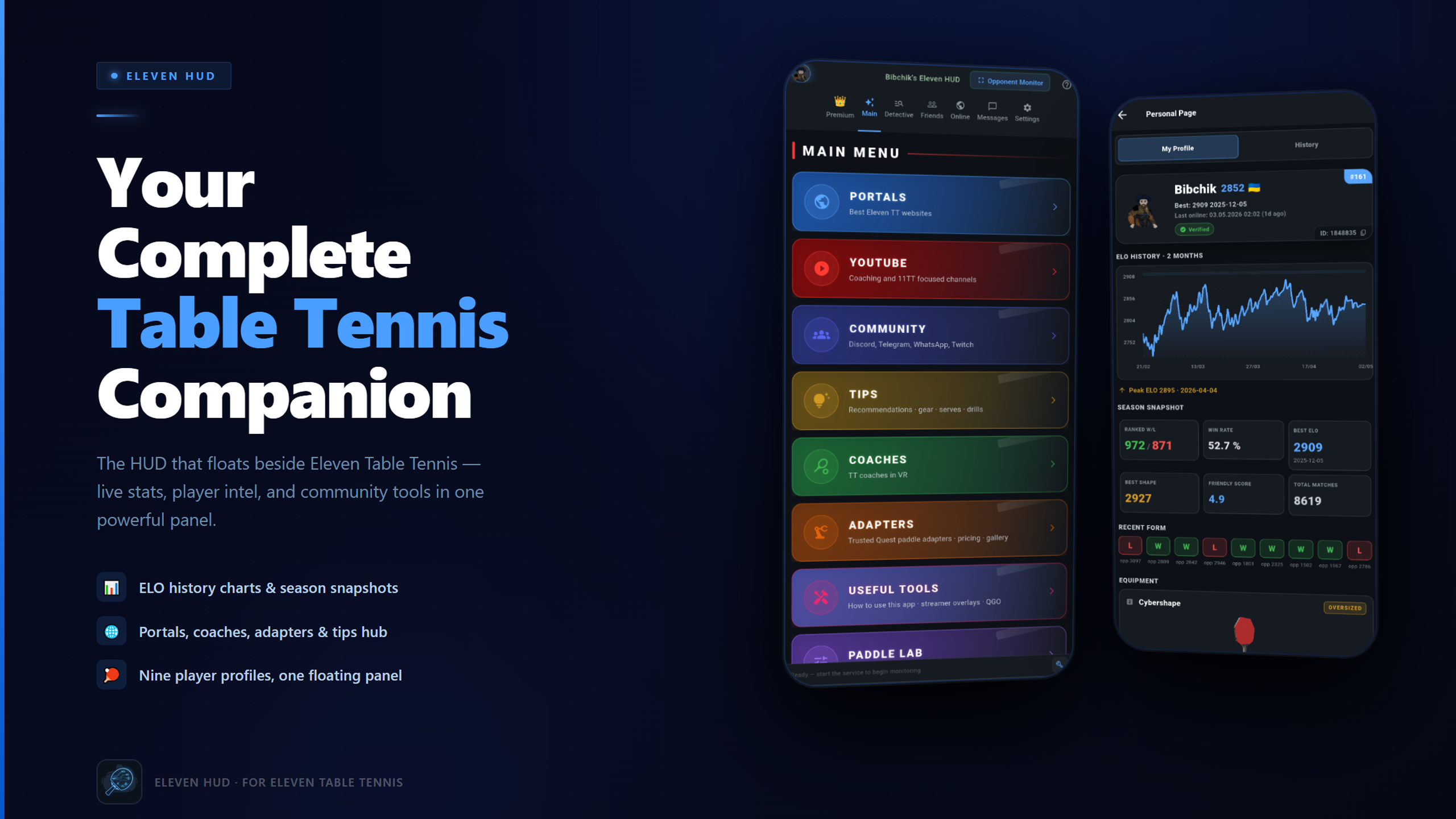
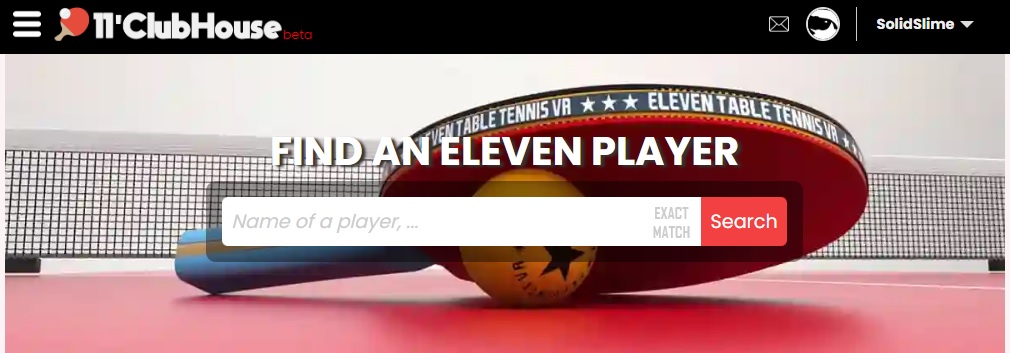
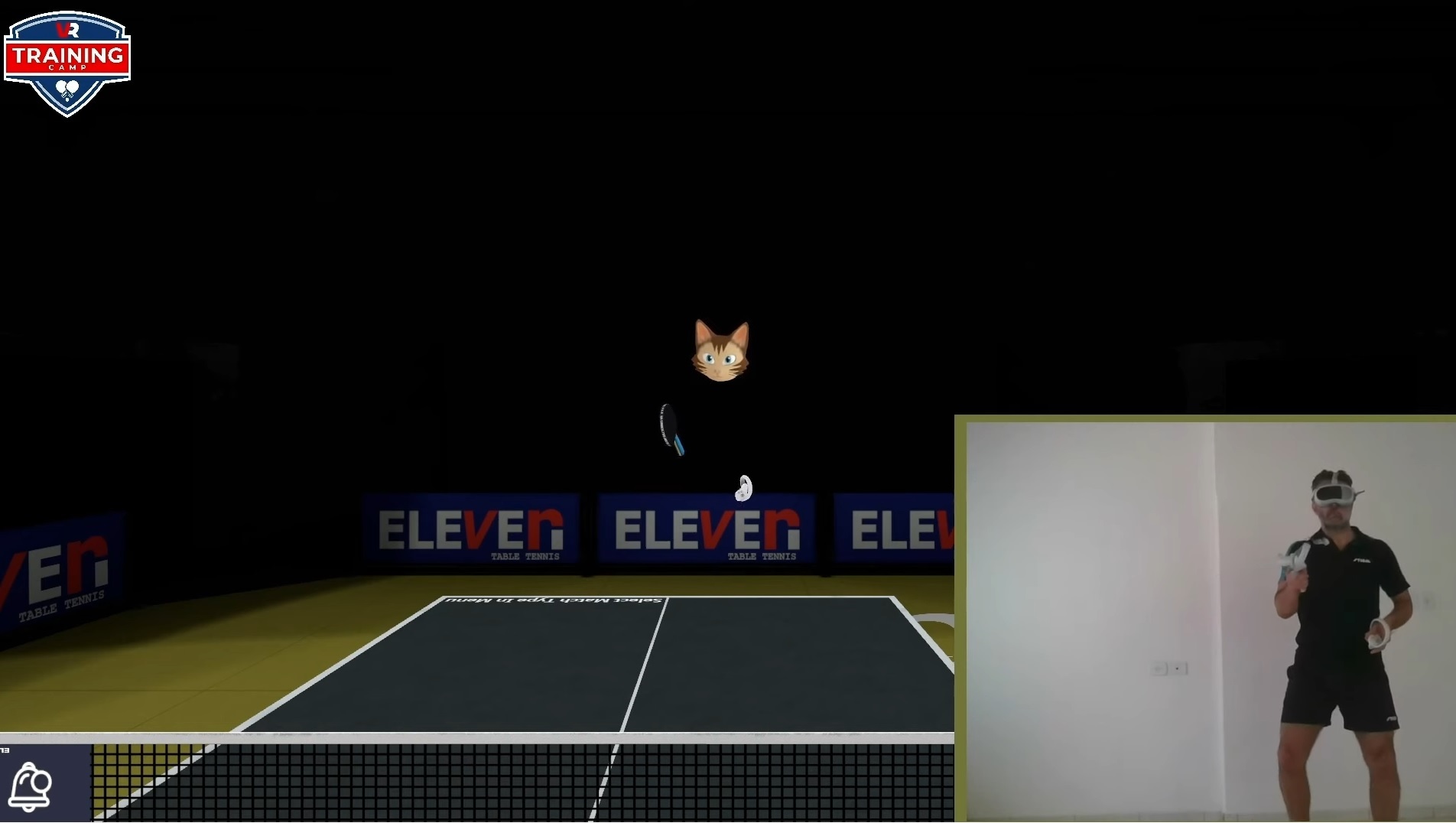
My friend bibchik has developed the amazing data mining website https://11tt.top/ .
He also made a unique app called Eleven HUD that helps the players in various ways. Nobody describes it better than the creator:
I’ve been playing 11TT for a while and built something I always dreamed about but never found — a VR companion panel that floats beside the game. No headset off, no extra clicks.
Who it’s for:
📌 New to the game or VR? Real-player gear picks, paddle calibration, Ball Machine presets, and a curated starter guide — you won’t have to figure it out alone. 📊 Climbing the ladder? Best ELO, peak shape, recent results, win probability — even before accepting a match. Open Detective the night before a tournament and show up prepared. 💬 Social or casual? See who’s online, message friends, jump into group chats. Built-in community directory + 11Clubhouse friendly score at a glance. 🎯 Want good matches, not just ranks? Filter the global online list by ELO — a worthy opponent is two clicks away. 📚 Willing to improve? Curated coaching contacts, YouTube channels, and lesson series the community actually trusts.
Open Eleven HUD next to your game — and never play blind again.
Would love to hear what you think. I really hope you enjoy it as much as I do.
A huge thanks to every player who tested, gave feedback, and kept me going through the whole journey — and of course to carrotstein. You know who you are. 🙏
Premium unlocks extended analytics, Paddle Intelligence, AI Spy Analysis, Ball Machine Presets, faster opponent detection, and the full ELO-filtered online list.
Want to try Premium before committing? DM me — active community members might already spot a little surprise in their Premium tab 🙂
Have you ever wondered what rubber settings the top players in Eleven Table Tennis use?
Discord user Korg put together an interesting analysis of the rubber settings used by the top 100 players on the 11 Clubhouse global leaderboard. That’s 200 rubber sides to look at, and there are some interesting patterns in the data.
I thought it was worth sharing a few of the findings here.
51 out of the top 100 players use an oversized paddle.
Players using oversized paddles also tend to use slightly lower bounce settings than those using standard-size paddles.
Does that mean oversized paddles are better? Not necessarily, but it’s interesting to see how common they are among highly rated players.
Defensive rubber is more common than you might think
26 players use a bounce setting below 0.60 on at least one side of their paddle.
Many of them use different setups on each side, combining slower rubber on one side with a more conventional setup on the other.
So if you’re experimenting with your own paddle, there’s no reason to assume both sides need to be identical. Different setups can serve different purposes.
Maximum friction is a popular choice
58 of the 100 players use maximum friction on at least one side.
On the other hand, 42 players use less than maximum friction on both sides. Clearly, maximum friction is popular, but it’s not a requirement for playing at a high level.
Bounce and throw tend to go together
One of the more interesting findings is that higher bounce settings tend to be associated with higher throw settings.
The relationship isn’t perfect, of course, but it’s worth keeping in mind when adjusting your own rubber. Changing one setting can affect how the overall setup feels, so it makes sense to experiment with bounce and throw together.
Is there a magic rubber setup for climbing the leaderboard?
Apparently, not an obvious one.
Korg’s analysis found little relationship between most rubber settings and Elo rating. Throw showed a weak negative correlation, meaning higher-rated players tended to use slightly lower throw settings on average.
That doesn’t mean the setting makes them better players. It simply shows that, among these top 100 players, there isn’t an obvious combination of rubber settings that separates the best from the rest.
And that’s probably the most interesting takeaway: there’s no single setup that everyone at the top uses.
Explore the data yourself
These are just a few highlights from Korg’s analysis. The full report lets you dig into the settings, compare the two sides of a paddle, and look for patterns across the leaderboard.
If you’re trying to find a setup that suits your own playing style, it could be a useful source of ideas.
Just remember that a setup that works for a top player won’t necessarily work for you. Use the data as a starting point for experimentation, not as a recipe you have to follow.
Big thanks to Korg for putting this together and sharing it with the community!
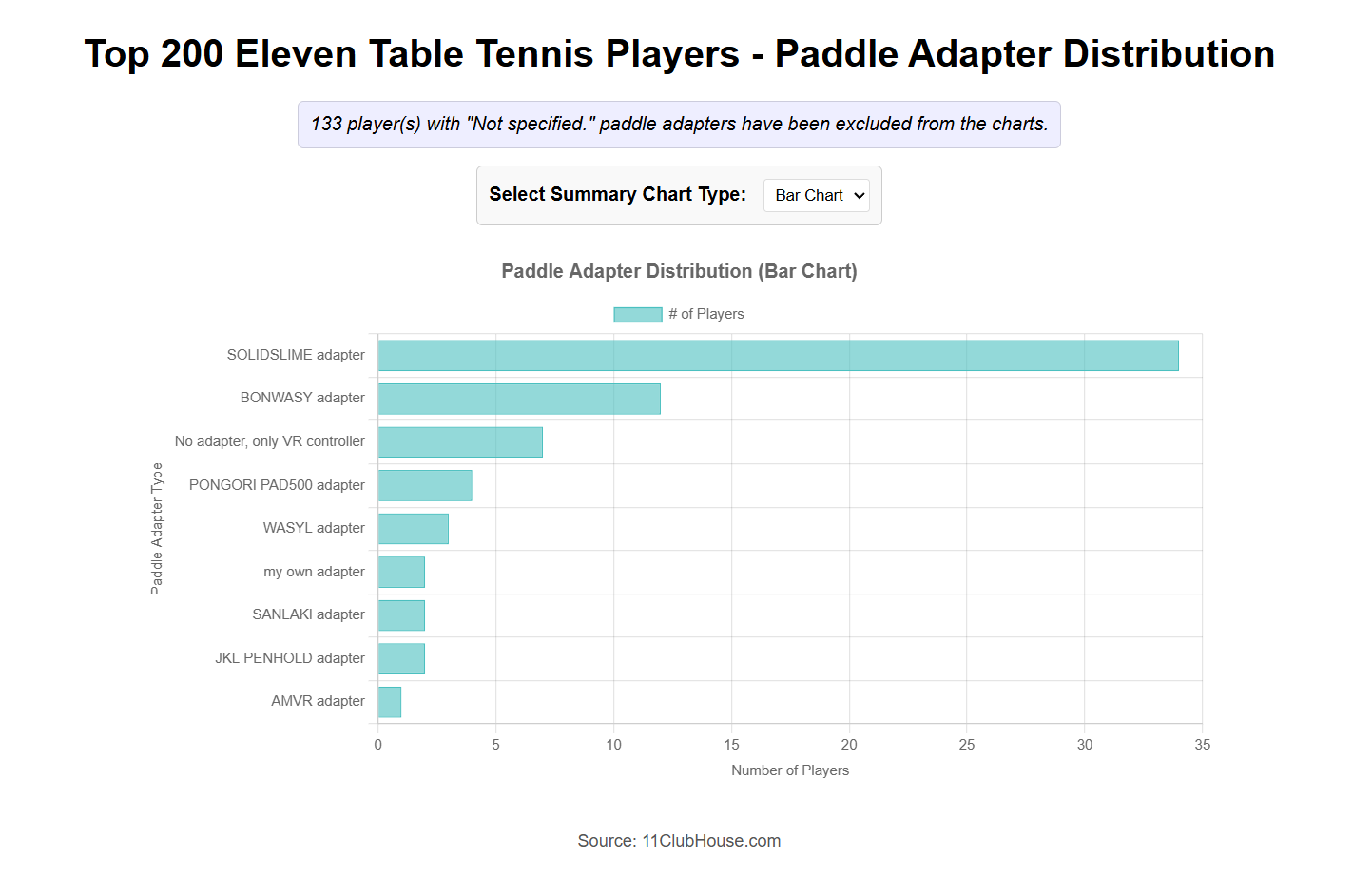
Also, if you’re curious about which adapters top Eleven Table Tennis players use, here’s another graph based on data from 11clubhouse.
Among the players who use an adapter, most seem to be using SolidSlime. It’s really nice to see, and honestly, it means a lot to me. I’ve put a lot of time and care into these adapters, so knowing that players are finding them useful is both encouraging and motivating. A big thank-you to everyone who has chosen to use one and supported the project along the way!
Ever wonder about what bounce / spin / throw coeffecient values do in ETT?
Bounce is quite straightforward: It’s the outgoing speed of the ball comparing to the incoming speed.
Spin can be loosely understood as the amount of spin you can generate while brushing the ball.
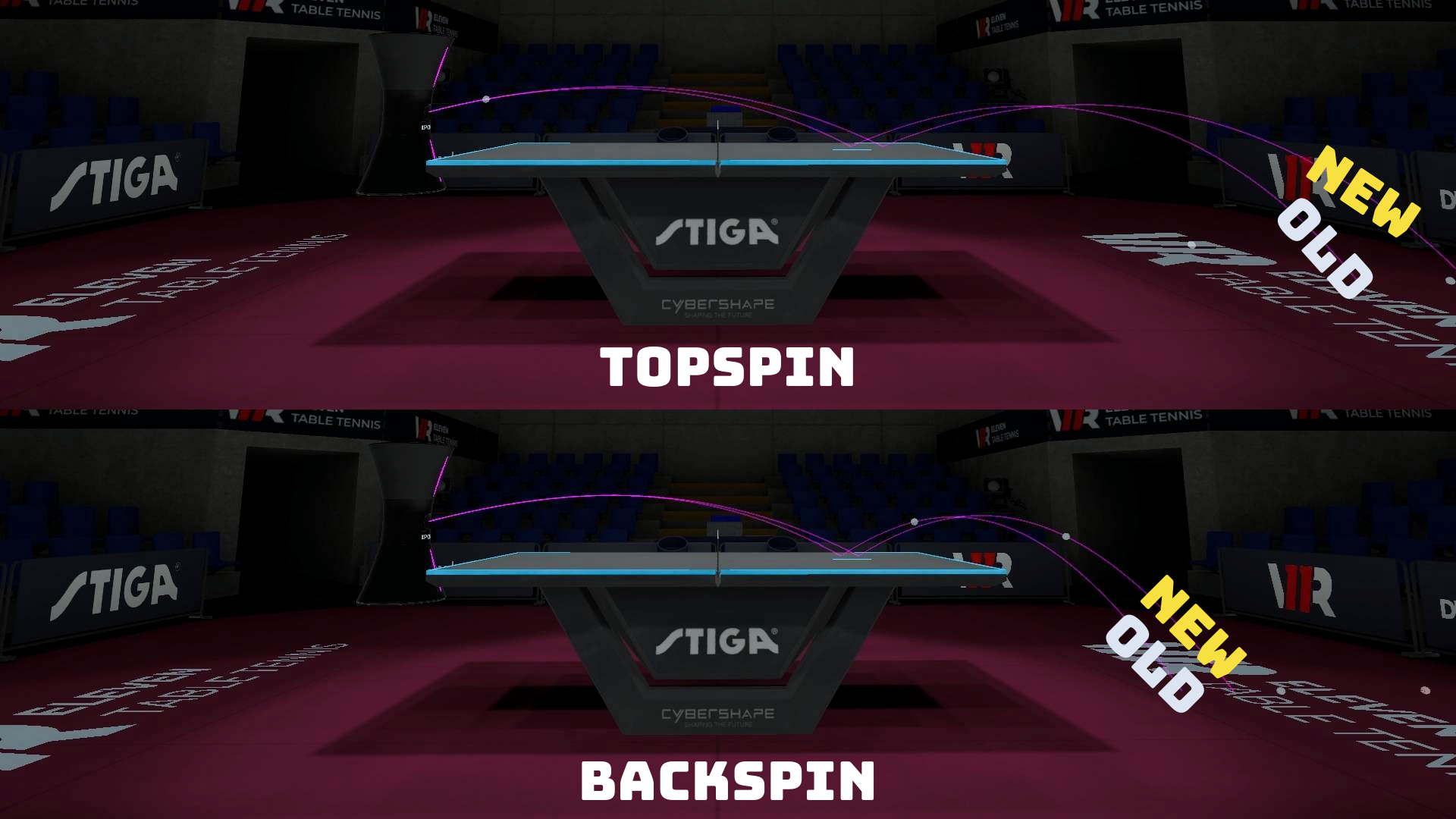
Throw Coeffecient is a programmatic multiplier on the effect of incoming spin on the paddle; that is, with incoming topsin to your paddle (held perpendicular to the table surface), a higher throw (> 1.0) will cause the ball to reflect off your paddle more towards the ceiling, whereas a lower throw (< 1.0) will cause the ball to reflect less (and at 0.0 throw, the paddle would not react to incoming spin at all). Similarly, with incoming backspin to your paddle, a higher throw will cause the ball to reflect off your paddle more towards the table. A diagram of what the throw parameter does can be found on the FAQ channel of the official ETT discord:
Here is a step by step guide of how to match up your in-game paddle with your real paddle:
And a fantastic video on this topic that explains in practice! Made by the wonderful Brazilian coach Wlad Pimentel .
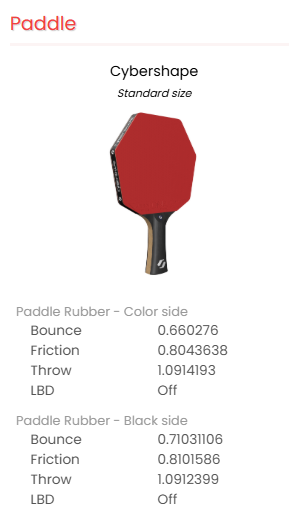
If you would like to see what other players set their rubber values to, now it’s possible to view any ETT player’s racket values on https://11clubhouse.com !
Be aware: other people’s favorite rubbers are only for references. You will very likely need to test and finetune until you find your best rubber values…which can still change overtime 🙂
I have now replaced the popular 4008.1/4008.2 drills so they work with the new physics! Now the balls will land on the table as expected.
What it is:
This drill pack consists of SolidSlime ‘s 40 serve return drills and AlexTTBCN ‘s basic & advanced drills that cover many techniques and combinations. It is freely downloadable in Eleven Table Tennis.
To get the new drills:
Make sure you don’t have ball machine enabled in the game.
Open settings->advanced->Backup and reset->Ball machine ->enter 4008.1 (righty) or 4008.2 (lefty) and press Download.
Open Training&Practice->Ball machine. Tick the drills that you would like to practice.
In this update, the developer has worked with several IRL high level players to make the physics match real life better (please remember that is the goal). These are the changed parameters:
Table friction has been increased.
Magnus effect has been reduced.
Air drag has been reduced.
Combined Effects
Ball flies straighter and faster (due to reduced Magnus + lower air drag).
Topspin shots dip less, making loops flatter and easier to counter.
Backspin floats less, so defensive lobs may drop sooner
How to survive and thrive post the update
You might find the topspin balls fly out the table more than before. To counter that, the pros recommend reducing the throw coefficient of the rubbers by about 0.04. Bounce and Spin can be reduced if needed too. It’s best to practice against the ball machine and do your stroke normally, while adjusting the parameters to make sure the ball lands properly.
Certain serves like, fast corner to corner serves, might fly out more than before. If you rely on such serves, please either adjust the serve, or utilize more serve types. In real life, a half long serve with either spin or no spin serve is usually the most effective.
Keep in mind what Michael Scott says, and always have fun!
Dimitri (MonquiRanger) is an exceptional player in both real-life and VR table tennis. In ETT, he reached 3000 Elo in just one month—and he’s still climbing! In this video, he shares his experience with various VR ping pong equipment. We’re honored to see the SolidSlime adapter featured among the best. Check out the video to discover the other top picks, and if you enjoy the content, consider subscribing to his channel for more great insights!
If you are curious about my setup, it includes:
Meta Quest 3
SolidSlime Quest 3 Adapter
Kiwi Quest 2 Headstrap + printed adapter for Quest 3
Paper Towel being folded on forehead during each session to absorb the sweat
About the paper towel: I have seen quite a few Quest 3 get damaged because sweat enters the device. This often happens during table tennis, as it is an intensive sport. The paper towel is an unsung hero in preventing that from happening. Other equipment like facial interfaces with fans and holes can work too.
Hello friends, today I’m going to introduce the best Eleven VR social network: https://11clubhouse.com .
This is a professionally made fan-made website that answers a lot of questions you might have:
🤔How many players are there?
🏆Who are the best players?
🏓Who are playing right now?
📊What’s the match history of someone?
⚙️What equipment / settings does someone use?
🔄What’s the head-to-head history between two players?
🌍How many people are there from certain country/area?
😊How friendly/sportsman is a certain player likely to be?
…
Some of these features require a user account. After registering an account, you can also link it to your ETT account through simple steps. I highly recommend to do that.
Among other things, this website is also free and has no advertisement. There’s a donation link, but the developer is so modest that the link is barely visible at the bottom of the page (and is only shown after login). If you wish to help finance the website, please donate at https://11clubhouse.com/donation/ .
My Brazilian friend, real life table tennis coach Wlad is making some amazing FREE training tutorials on Youtube.
In the videos, he covers all the basic techniques, teaches you how to handle the spin or the speedy serves, and even goes beyond that to teach you different ways of handling certain spins in the advanced training programs. All videos come with downloadable ball machine drills!
I think it’s wonderful that ElevenVR is bringing table tennis to a lot of people that have never or rarely played the sport in real life, but I also think it’s extremely important for such players to at least try to learn the proper TT techniques: Good TT techniques are more efficient, lead to less injury. Together with good adapters like SolidSlime, they are the keys to easier real life<->VR skill transfer.
So no matter what your level is at, please check out his Youtube channel. It can be the key to the next jump in your Elo rating.
This is a cool trick that not everyone knows, but it’s an extremely important one, especially for adapter/paddle users.
To boost the haptics, open Menu->Settings, click the “carrot” icon on the top right to open the advanced menu, open “controller settings” and increase both haptics sliders to the right most position. The first one increases the rumbling strength, and the second one increases the rumbling time. Both contributes to the feeling.
While you are in there I’d suggest to enable “catch haptic feedback” too. That one makes the non-paddle controller to rumble when a ball is spawned.
This website uses cookies to improve your experience while you navigate through the website. Out of these, the cookies that are categorized as necessary are stored on your browser as they are essential for the working of basic functionalities of the website. We also use third-party cookies that help us analyze and understand how you use this website. These cookies will be stored in your browser only with your consent. You also have the option to opt-out of these cookies. But opting out of some of these cookies may affect your browsing experience.
Necessary cookies are absolutely essential for the website to function properly. These cookies ensure basic functionalities and security features of the website, anonymously.
Cookie
Duration
Description
cookielawinfo-checkbox-analytics
11 months
This cookie is set by GDPR Cookie Consent plugin. The cookie is used to store the user consent for the cookies in the category "Analytics".
cookielawinfo-checkbox-functional
11 months
The cookie is set by GDPR cookie consent to record the user consent for the cookies in the category "Functional".
cookielawinfo-checkbox-necessary
11 months
This cookie is set by GDPR Cookie Consent plugin. The cookies is used to store the user consent for the cookies in the category "Necessary".
cookielawinfo-checkbox-others
11 months
This cookie is set by GDPR Cookie Consent plugin. The cookie is used to store the user consent for the cookies in the category "Other.
cookielawinfo-checkbox-performance
11 months
This cookie is set by GDPR Cookie Consent plugin. The cookie is used to store the user consent for the cookies in the category "Performance".
viewed_cookie_policy
11 months
The cookie is set by the GDPR Cookie Consent plugin and is used to store whether or not user has consented to the use of cookies. It does not store any personal data.
Functional cookies help to perform certain functionalities like sharing the content of the website on social media platforms, collect feedbacks, and other third-party features.
Performance cookies are used to understand and analyze the key performance indexes of the website which helps in delivering a better user experience for the visitors.
Analytical cookies are used to understand how visitors interact with the website. These cookies help provide information on metrics the number of visitors, bounce rate, traffic source, etc.
Advertisement cookies are used to provide visitors with relevant ads and marketing campaigns. These cookies track visitors across websites and collect information to provide customized ads.