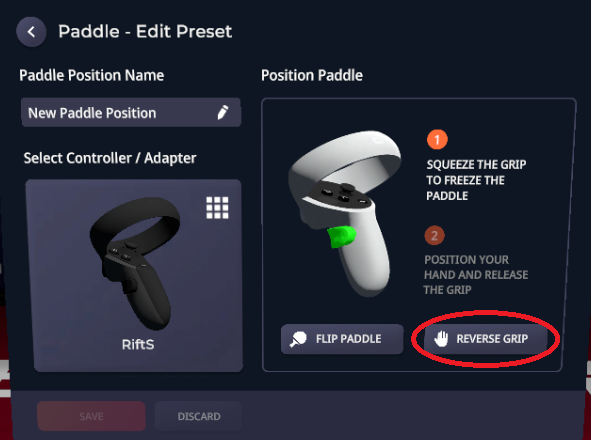
Yesterday, Eleven Table Tennis developers have pushed out a new release that includes the new user interface. Some part of this new UI is not as intuitive as the old one, so I'd like to shared some tips with you. Hopefully that can save some time and frustration..
|
2. To fix "bent wrist" with your own avatar, click the "reverse grip" button when you are editing paddle position. There's a screenshot at the top of this email.
|
|
4. In other news, I have partnered with a Canadian ETT player to provide adapters to North America region. Our goal is to to maintain the quality while making it more convenient to get an adapter locally. The NA shop is here: https://www.etsy.com/shop/FlighterCraftingShop
|
|